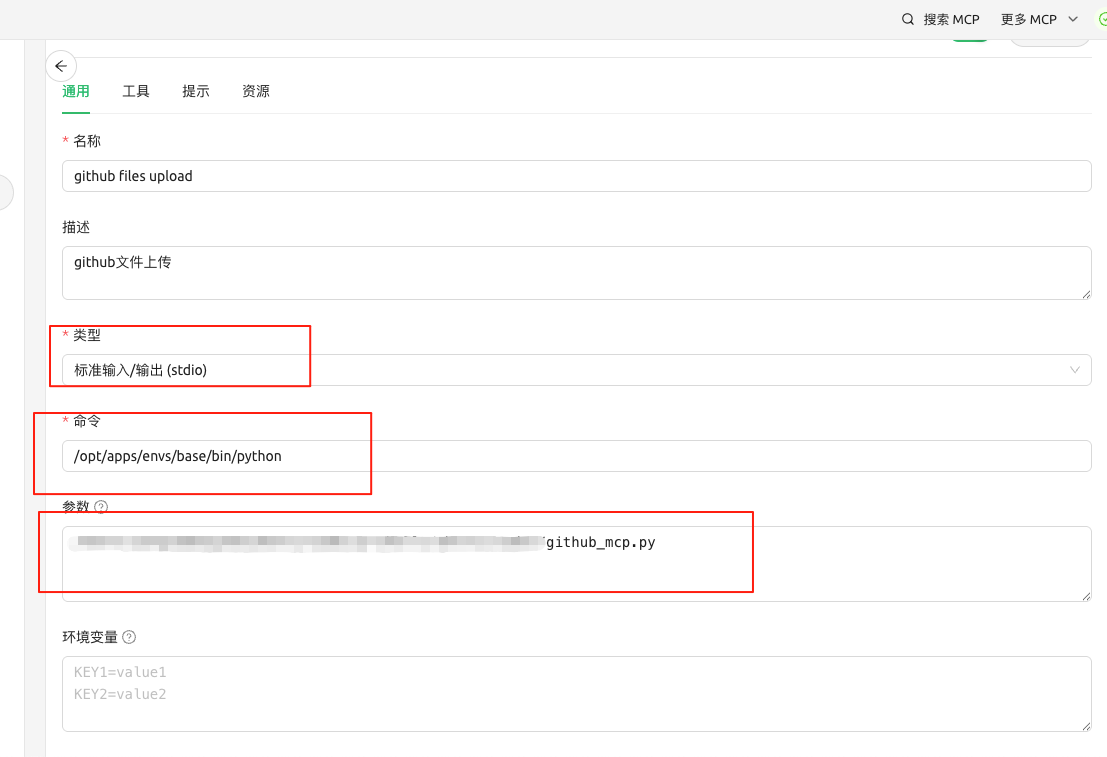
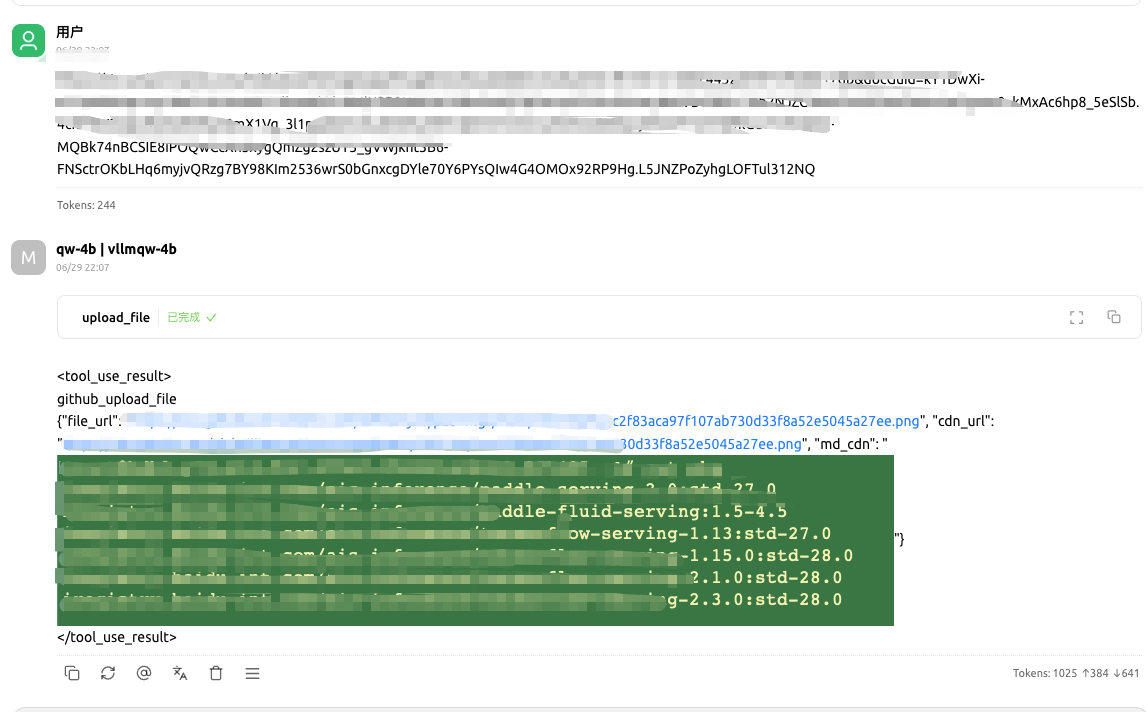
1
2
3
4
5
6
7
8
9
10
11
12
13
14
15
16
17
18
19
20
21
22
23
24
25
26
27
28
29
30
31
32
33
34
35
36
37
38
39
40
41
42
43
44
45
46
47
48
49
50
51
52
53
54
55
56
57
58
59
60
61
62
63
64
65
66
67
68
69
70
71
72
73
74
75
76
77
78
79
80
81
82
83
84
85
86
87
88
89
90
91
92
93
94
95
96
97
98
99
100
101
102
103
104
105
106
107
108
109
110
111
112
113
114
115
116
117
118
119
120
121
122
123
124
125
126
127
128
129
130
131
132
133
134
135
136
137
138
139
140
141
142
143
144
145
146
147
148
149
150
151
152
153
154
155
156
157
158
159
160
161
162
163
164
165
166
167
168
169
170
171
172
173
174
175
176
|
import argparse
import urllib.request
import urllib.error
import urllib.parse
import json
import base64
import os
import re
import hashlib
from datetime import datetime
from mcp.server.fastmcp import FastMCP
mcp = FastMCP()
# 内置配置
DEFAULT_REPO = "" # 替换为你的仓库名
DEFAULT_TOKEN = "" # 替换为你的GitHub个人访问令牌
def is_url(path):
"""改进的URL检测函数"""
try:
result = urllib.parse.urlparse(path)
return all([result.scheme in ('http', 'https'), result.netloc])
except:
return False
def get_image_content(image_path):
"""改进的内容获取函数"""
try:
if is_url(image_path):
# 对URL进行安全编码处理
safe_url = urllib.parse.quote(image_path, safe=':/?&=')
with urllib.request.urlopen(safe_url) as response:
return response.read()
else:
with open(image_path, "rb") as f:
return f.read()
except Exception as e:
raise ValueError(f"读取失败: {str(e)}")
def get_file_sha(repo, token, branch, path):
"""
获取指定GitHub仓库中文件的SHA值。
Args:
repo (str): GitHub仓库的名称,格式为'用户名/仓库名'。
token (str): GitHub的Personal Access Token。
branch (str): 仓库的分支名。
path (str): 文件在仓库中的路径。
Returns:
str or None: 文件的SHA值,如果获取失败则返回None。
"""
url = f"https://api.github.com/repos/{repo}/contents/{path}"
headers = {
"Authorization": f"token {token}",
"Accept": "application/vnd.github.v3+json"
}
params = {"ref": branch}
# 手动拼接参数到URL
query_string = urllib.parse.urlencode(params)
url_with_params = f"{url}?{query_string}"
rs =None
req = urllib.request.Request(url_with_params, headers=headers, method="GET", data=None)
try:
with urllib.request.urlopen(req) as response:
data = json.loads(response.read().decode('utf-8'))
rs = data["sha"] if "sha" in data else None
finally:
return rs
def calculate_sha1(content):
"""计算文件内容的SHA1哈希值"""
sha1 = hashlib.sha1()
sha1.update(content)
return sha1.hexdigest()
@mcp.tool()
def upload_file(image_path, repo=DEFAULT_REPO, token=DEFAULT_TOKEN, branch="main"):
"""
Uploads an image file to a specified GitHub repository.
Args:
image_path (str): The local file path or URL of the image to upload.
repo (str, optional): The GitHub repository in the format 'owner/repo'. Defaults to DEFAULT_REPO.
token (str, optional): The GitHub personal access token for authentication. Defaults to DEFAULT_TOKEN.
branch (str, optional): The branch to upload the file to. Defaults to "main".
Returns:
dict: The JSON response from the GitHub API after uploading the file.
Raises:
RuntimeError: If the upload fails or the GitHub API returns an error.
"""
"""上传图片到GitHub仓库"""
try:
content = get_image_content(image_path)
# 计算SHA1哈希值
file_hash = calculate_sha1(content)
if is_url(image_path):
# 尝试从URL中提取扩展名
parsed = urllib.parse.urlparse(image_path)
base_name = os.path.basename(parsed.path)
_, ext = os.path.splitext(base_name)
filename = f"{file_hash}.{ext}" if ext else f"{file_hash}.png"
else:
# 从本地路径获取扩展名
_, ext = os.path.splitext(image_path)
filename = f"{file_hash}.{ext}" if ext else f"{file_hash}.png"
now = datetime.now()
year_month = now.strftime("%Y-%m")
target_path = f"{year_month}/{filename}"
url = f"https://api.github.com/repos/{repo}/contents/{target_path}"
headers = {
"Authorization": f"token {token}",
"Accept": "application/vnd.github.v3+json",
"User-Agent": "Python-urllib"
}
data = {
"message": f"Add {filename}",
"content": base64.b64encode(content).decode('utf-8'),
"branch": branch
}
current_sha = get_file_sha(repo, token, branch, target_path)
# 如果文件不存在,current_sha 可能为 None,需要根据业务逻辑处理
# 例如,可以决定创建一个新文件而不是更新一个不存在的文件
if current_sha :
data["sha"] = current_sha
req = urllib.request.Request(
url,
data=json.dumps(data).encode("utf-8"),
headers=headers,
method="PUT"
)
with urllib.request.urlopen(req) as response:
rs = json.loads(response.read().decode("utf-8"))
file_url = rs['content']['download_url']
cdn_url= f"https://cdn.jsdelivr.net/gh/{repo}@{branch}/{target_path}"
return {
'file_url' : file_url,
'cdn_url':cdn_url,
'md_cdn':f''
}
except urllib.error.HTTPError as e:
error_msg = e.read().decode('utf-8')
raise RuntimeError(f"GitHub API错误: {error_msg}")
except Exception as e:
raise RuntimeError(f"上传失败: {str(e)}")
def main():
parser = argparse.ArgumentParser(description="GitHub图片上传工具")
parser.add_argument("image_path", help="要上传的图片路径(本地路径或URL)")
args = parser.parse_args()
try:
result = upload_file(args.image_path)
print(result)
print(f"图片上传成功: {result['content']['html_url']}")
except Exception as e:
print(f"错误: {str(e)}")
if __name__ == "__main__":
mcp.run(transport='stdio')
|